


Word Line: Word Puzzle Game
4.5126.00 Reviews
App Specs
- Version
- 0.0.3
- Updated On
- License
- Free
- Downloads
- 10,000+
- Developer
- SATORISYS PLAY
- Categories
- Word
- Platform
- Android
Screenshots
 Analysis by AppCompare
I tend to enjoy word puzzles most when the central action is easy to understand but still leaves room to think. That is the appeal I see in Word Line: Word Puzzle Game: you trace through letters to build words, and the puzzle itself—not a complicated rulebook—takes center stage. It is a word game from SATORISYS PLAY, and its basic idea makes it easy to pick up when I have a few quiet minutes.
The appeal of connecting letters
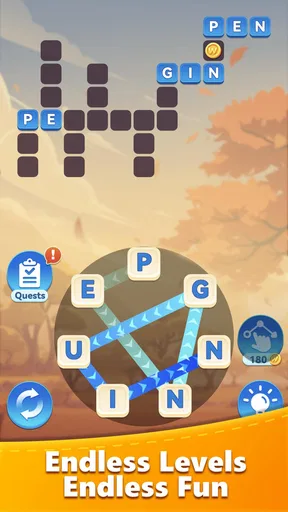
Swiping across letters is a familiar format, but it changes how I approach a puzzle compared with typing answers into a blank box. I scan the available letters, notice possible beginnings and endings, then test a route with my finger. The movement makes the search feel physical and immediate: I am not only thinking of a word, I am tracing its path.
That simplicity is useful when I want a game I can start without preparation. There is no need to remember a long set of rules before making a first attempt. The challenge comes from spotting combinations and deciding which possibility to try next. The best part of the format is that a small gesture can turn a vague hunch into a clear answer.
Getting Started with Word Line
The first thing I noticed when I opened Word Line was its clean and inviting interface. It doesn't bombard you with unnecessary graphics or clutter, which is a breath of fresh air in the gaming world. Instead, it keeps things simple and focused on what truly matters – the puzzles! The game gently eases you in with some introductory levels that help you get a feel for the mechanics. It's a smooth start, perfect for newbies and seasoned wordsmiths alike.
How the Game Works
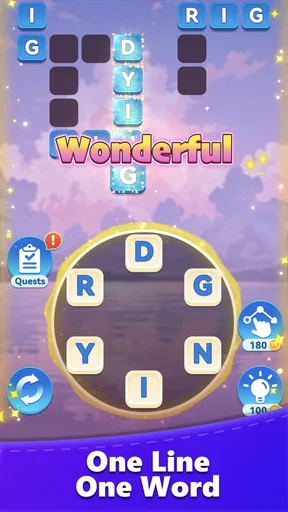
So, how does Word Line: Word Puzzle Game actually work? It's all about creating words from a set of letters provided in each level. You swipe across the letters to form words, and as you progress, the puzzles get trickier, requiring a bit more brainpower. The levels are structured in such a way that they gradually increase in difficulty, keeping you engaged without feeling overwhelmed.
One of the things I appreciate most is that there's no time pressure. You can take your time, relax, and really think about your next move. It makes for a wonderfully stress-free gaming experience.
Making a short session count
For me, the most natural way to play is in small, self-contained breaks: waiting for a drink to brew, sitting on a bus, or taking a pause between tasks. A letter puzzle asks for enough attention to feel absorbing, but it does not demand the kind of uninterrupted focus I would give a longer strategy game. I can stop after a puzzle and return later without needing to recall a complicated story or plan.
Worth Reading Before You Choose

Flipboard Shows What News Apps Must Do Beyond the Feed

Switching to Android Auto Means Rethinking Your Driving Routine

Google Calendar Makes a Crowded Week Easier to Manage

Ludo King Makes the Most of the Minutes Between Plans

Baby Panda World Brings Quick Play to Modern Phones, but Its Game Library Feels Busy

ESPN’s Live Game View Makes Following Close Games Easier
A practical approach is to scan the letters once for obvious short words, then look again for less familiar combinations instead of repeatedly dragging over the same route. If a guess does not work, I try changing the starting point or reading the letters from another direction. That little reset is often more useful than tapping around at random, and it keeps the solving process deliberate rather than fussy.
This makes the game a reasonable companion for a quiet commute or a low-key break, provided I am not walking, driving, or otherwise meant to be watching my surroundings. It is not a substitute for something that can be played with one hand and no attention; the letter grid still asks me to look and think. I also find it better as a brief mental diversion than as background entertainment while doing another task.
Features That Shine
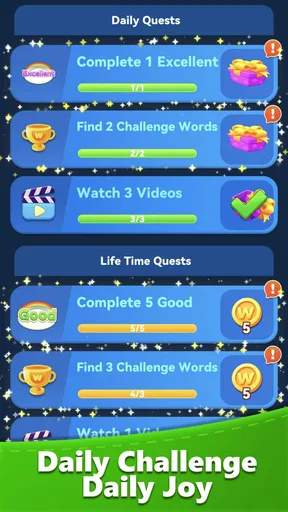
Let's talk about the features that make this game stand out. First off, the game offers daily challenges, which are a fantastic way to keep things fresh and exciting. These challenges provide rewards, which can be used to get hints if you find yourself stuck. It's a nice touch that keeps players coming back for more.
Another cool feature is the offline mode. Whether you're on a plane or in a remote location with no internet, you can still enjoy the game without any hiccups. This flexibility is a major plus for those of us who love to game on the go.
Choosing when to use a hint
Hints are most valuable when I have made a genuine attempt and reached a dead end, rather than as a first response to a tricky-looking board. I would pause, search for alternate letter paths, and only then spend a hint if I want to keep moving. That habit helps preserve the satisfaction of solving the puzzle myself while still giving me a way through a sticking point.
The trade-off is that using help can make a win feel less earned, especially if I reveal too much too soon. I treat a hint as a nudge to restore momentum, not as a way to rush through every level. If you enjoy working out each answer unaided, you can simply leave that option alone; if a puzzle starts to feel like a chore, having assistance available can keep the session pleasant.
Daily challenges offer a different reason to return: they give a short session a clear focus beyond simply continuing through levels. I would use one when I want a defined puzzle break rather than an open-ended stretch of play. The rewards and hint connection also create a small decision: save help for a frustrating moment, or use it to keep a daily attempt moving. That choice adds a little planning to an otherwise straightforward format.
Gameplay Experience
The gameplay itself is smooth and intuitive. Swiping across the letters feels natural, and the game responds quickly to your inputs. The sound effects are subtle and pleasant, adding to the overall experience without becoming distracting.
It's also worth mentioning the hint system. If you ever find yourself completely stumped, you can use hints to reveal letters or even entire words. It's a lifesaver for those particularly challenging levels!
How it compares with other word games
Compared with crossword-style puzzles, this is less about interpreting clues and more about finding words directly in a group of letters. That makes it a better fit when I want to practise quick recognition than when I am in the mood for cryptic hints, themed clues, or a long-form puzzle that rewards specialist knowledge.
It also differs from word games built around a strict timer or direct competition. The unhurried pace gives me room to test ideas without feeling watched or rushed. If you want a leaderboard, head-to-head matches, or a tough timed challenge, a competitive alternative will likely suit you better. Here, the appeal is the calm, tactile act of tracing a word and moving on at my own speed.
There is a useful middle ground between casual play and deliberate vocabulary practice. I can notice a word I nearly missed, think about why its letters fit, and carry that pattern into the next board. Still, I would not treat it as a structured language course: the main activity is solving puzzles, not following lessons or practising a planned curriculum. For learning a new language from scratch, a dedicated study app would be a more direct choice.
Who will get the most from it
I would recommend it to people who already like word searches or letter-linking puzzles and want something that can be played at a relaxed pace. It is also approachable for someone returning to word games after a break, since the core interaction is easy to grasp. The game is free, rated for Everyone, and has a 4.8 average from around 500 ratings, which gives a new player some context for its reception without telling them whether its particular puzzle style will click.
The game has over 10,000 installs and is at version 0.0.2, so I would think of it as an early release rather than assume it has the breadth of a long-established word-game collection. It was released on April 28, 2026, and its minimum OS requirement is 7.1. Those details matter most if you are deciding whether it will run on an older device or whether you prefer a mature game with a clearly extensive track record.
I would skip it if I mainly want intricate crosswords, multiplayer rivalry, a formal vocabulary course, or a game that requires no visual attention. A player who enjoys carefully decoding clues may find letter tracing too direct; someone chasing competition may find the relaxed pace too quiet. Knowing that distinction before downloading can save you from expecting a different kind of word challenge.
Why You Should Download It
In a world filled with countless word games, Word Line: Word Puzzle Game manages to carve out its own niche by offering a balanced mix of challenge and relaxation. Its user-friendly design, combined with the progressive difficulty, makes it a game that's hard to put down.
Moreover, it's a great way to improve your vocabulary and keep your brain active. Whether you're a word game veteran or just looking for something new to pass the time, this app is definitely worth a download.
Word Line is available for both Android and iOS, and you can easily find it on your respective app store. So, what are you waiting for? Dive into the world of words and see how many puzzles you can solve!
In conclusion, if you're on the hunt for a game that's both challenging and relaxing, Word Line: Word Puzzle Game might just be your new favorite app. Happy puzzling!
Pros
- Engaging puzzles boost vocabulary skills.
- Simple interface for easy navigation.
- Offline mode available for uninterrupted play.
- Regular updates with new levels and challenges.
- Suitable for all age groups
- enhancing learning.
Cons
- Contains in-app purchases for hints.
- Ads can be intrusive during gameplay.
- Limited language options available.
- Some levels may feel repetitive.
- May require internet for certain features.
FAQs for Word Line: Word Puzzle Game
What is the objective of Word Line: Word Puzzle Game?
Word Line: Word Puzzle Game is designed to challenge players with a series of word puzzles. The objective is to connect letters to form words, solving puzzles to progress through levels. Each level increases in difficulty, requiring strategic thinking and a strong vocabulary. It’s both an entertaining and educational experience.
Is Word Line suitable for all age groups?
Yes, Word Line: Word Puzzle Game is suitable for all age groups. It offers a user-friendly interface and varying levels of difficulty, making it accessible for children, teens, and adults. The game is designed to be both fun and educational, helping to improve vocabulary and cognitive skills across different ages.
Does Word Line require an internet connection to play?
Word Line: Word Puzzle Game can be played offline, making it convenient for users who may not always have internet access. However, certain features, such as updates and leaderboards, may require a connection. Playing offline ensures that you can enjoy the game anytime and anywhere without interruption.
Are there in-app purchases in Word Line?
Yes, Word Line: Word Puzzle Game does offer in-app purchases. These can include hints, additional levels, or cosmetic upgrades to enhance the gaming experience. While the game is free to download and play, these purchases are optional and designed to provide additional convenience and customization.
How often are new levels or updates added to Word Line?
The developers of Word Line: Word Puzzle Game regularly release updates to keep the game fresh and engaging. These updates often include new levels, features, or improvements based on user feedback. It's recommended to keep the app updated to enjoy the latest content and enhancements the game has to offer.


